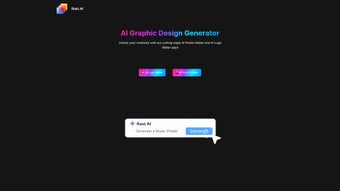

Download Rast AI – AI Graphic Design Tool, Logo Maker, Poster Creator
Overview of Rast AI
Rast AI is a cloud‑native graphic‑design platform that leverages cutting‑edge artificial‑intelligence models to turn plain text prompts into polished visual assets in seconds. The service is built for a wide spectrum of users—solo entrepreneurs launching a brand, marketing teams needing rapid campaign graphics, and professional designers who want to accelerate repetitive tasks. By operating entirely within a web browser, Rast AI eliminates the need for bulky desktop applications, ensuring that users on Windows, macOS, Linux, Android, or iOS can access the same feature set without worrying about operating‑system compatibility.
The core offering consists of two AI‑driven engines: a Logo Maker that creates vector‑based logos from a single line of description, and a Poster Maker that produces fully‑styled advertising posters from a brief sentence. Both engines rely on a massive training dataset of design patterns, typography rules, and color theory, allowing the AI to suggest layouts that adhere to modern branding standards. Users can further refine the output by adjusting colors, fonts, and layout elements, or by uploading existing brand assets such as color palettes, font files, or style guides.
All creations are stored in a secure, cloud‑based gallery that supports versioning, easy sharing, and one‑click export to popular formats like PNG, SVG, PDF, and JPG. While the platform shines in speed and ease of use, it does depend on a stable internet connection and benefits from clear, specific prompts—vague inputs can lead to generic results. Overall, Rast AI positions itself as a “design‑in‑minutes” solution that bridges the gap between do‑it‑yourself tools and expensive agency services, offering a cost‑effective alternative for businesses that need professional‑grade branding without the overhead.
Key Features and Compatibility
- AI Logo Maker: Generates unlimited vector logos from a single line of text, offering style variations such as minimalist, vintage, or futuristic.
- AI Poster Maker: Converts descriptive sentences into fully designed posters with selectable templates, typography, and image‑enhancement filters.
- Brand Asset Integration: Upload brand colors, fonts, and existing logos so the AI automatically respects your visual identity across every design.
- One‑Click Export: Instantly download assets in SVG, PNG, PDF, or JPG, optimized for web, print, or social media use.
- Template Library: Access a growing collection of professionally crafted poster layouts and logo styles that can be customized on the fly.
- Responsive Cloud Gallery: Store, organize, and showcase all generated assets in a searchable, cloud‑based library accessible from any device.
- Real‑time Collaboration (Beta): Share a live editing link with teammates for instant feedback and co‑creation without leaving the browser.
- Secure Cloud Storage: All projects are encrypted in transit (TLS 1.3) and at rest (AES‑256), complying with GDPR and CCPA regulations.
Why These Features Matter
The ability to output vector graphics from the AI Logo Maker means that logos remain perfectly crisp whether they appear on a mobile app icon or a billboard, eliminating the need for separate vector‑editing software. The Poster Maker removes the traditional bottleneck of layout design: marketers simply type “Holiday Sale – 30% off all coats” and receive a set of ready‑to‑publish posters within seconds. Brand Asset Integration is especially valuable for agencies handling multiple clients; by uploading each client’s style guide, the AI automatically applies the correct colors and fonts, reducing the risk of brand inconsistency.
One‑Click Export streamlines the workflow by removing manual file‑conversion steps, while the Template Library provides a solid starting point that can be customized to reflect a unique brand voice. The Responsive Cloud Gallery ensures that all assets are centrally located, searchable, and instantly shareable, which is crucial for remote teams. Real‑time Collaboration, even in beta, cuts down on lengthy email threads by allowing stakeholders to view and edit designs together in real time.
Finally, the robust security model gives businesses confidence that proprietary brand information remains private and protected.
Operating System Compatibility (itemprop="operatingSystem")
Because Rast AI runs completely in the browser, it is compatible with any modern operating system that supports Chrome, Edge, Firefox, or Safari. This includes Windows 10/11, macOS Ventura and later, popular Linux distributions, as well as mobile platforms such as Android 12+ and iOS 15+. The web‑based architecture means performance is driven primarily by internet speed rather than local hardware, allowing even low‑spec laptops or tablets to generate high‑resolution designs instantly.
Installation, Usage, Pros, Cons & Frequently Asked Questions
Installation & System Requirements
Rast AI requires no download or installation. Users simply visit rast.ai, click “Sign Up,” and complete a quick registration process (email verification or Google OAuth). A stable internet connection of at least 3 Mbps is recommended for optimal performance. All data exchanged between the browser and Rast AI’s servers is encrypted with TLS 1.3, and optional two‑factor authentication (2FA) can be enabled from the account settings for added security.
Step‑by‑Step Usage Guide
- Log In: Access your dashboard using your email/password or Google account.
- Select a Tool: Choose “Logo Maker” or “Poster Maker” from the top navigation.
- Enter Your Prompt: Provide a concise description—e.g., “Eco‑friendly coffee shop logo, modern, green palette.” For posters, include key messages and desired mood.
- Review AI Suggestions: The engine generates 5‑8 variations within seconds. Click a thumbnail to open the full‑screen editor.
- Customize: Tweak colors, fonts, layout, and add icons or images from the built‑in library. Use the “Brand Assets” panel to import your own style guide.
- Save & Export: Store the final design in your cloud gallery. When ready, click “Export” and select the desired file format and resolution.
- Share & Collaborate: Generate a shareable link for teammates to view or edit the design in real time (Beta feature).
Pros
- Instant generation of high‑resolution logos and posters without design expertise.
- Fully web‑based—works on Windows, macOS, Linux, Android, and iOS.
- Scalable vector output ensures designs stay crisp at any size.
- Brand asset integration keeps visual identity consistent across projects.
- One‑click export to multiple formats saves valuable time.
- Secure cloud storage with encryption and optional 2FA.
- Free tier available for small projects; premium plans are competitively priced.
Cons
- Requires an active internet connection; no offline mode.
- AI output quality depends heavily on the clarity of user prompts.
- Advanced typography controls are less granular than dedicated vector editors.
- Some niche or highly stylized designs may need manual refinement after AI generation.
- Free tier limits exports to five per month, which may be restrictive for high‑volume users.
FAQ (itemscope itemtype="https://schema.org/FAQPage")
Can I use Rast AI for commercial projects?
Yes. All designs generated under a paid subscription come with full commercial rights, allowing unlimited use in marketing, product packaging, and online branding without additional royalties.
Is there a limit to how many designs I can create?
The free plan permits up to five exports per month. Paid Pro and Enterprise plans provide unlimited exports and priority processing on the AI servers.
Do I need any design software to edit the output?
No. All editing can be performed directly in Rast AI’s browser‑based editor. If deeper vector manipulation is required, you can download the SVG file and open it in tools like Adobe Illustrator or Inkscape.
How secure is my brand data on Rast AI?
Rast AI encrypts data in transit with TLS 1.3 and stores it at rest using AES‑256 encryption. The platform complies with GDPR and CCPA, and you can enable two‑factor authentication for additional account protection.
Can I collaborate with team members on a design?
Yes. The beta real‑time collaboration feature lets you generate a shareable link. Team members can view, comment, and, if granted permission, edit the project directly in the browser.
What browsers are officially supported?
Rast AI is optimized for the latest versions of Chrome, Edge, Firefox, and Safari. Older browsers may experience reduced performance or limited feature availability.
Conclusion & Call to Action
Rast AI delivers a compelling blend of speed, affordability, and brand‑centric intelligence that makes it a strong contender in the crowded market of online design tools. By removing the need for bulky desktop software and providing AI‑driven creativity at the click of a button, it empowers startups, marketers, and freelancers to produce professional‑grade logos and posters without the steep learning curve associated with traditional design suites. While the reliance on an internet connection and the necessity for clear prompts can be a minor drawback, the advantages—instant vector output, seamless brand asset synchronization, secure cloud storage, and cross‑platform accessibility—far outweigh these limitations for most modern businesses. Whether you are launching a new brand, refreshing an existing visual identity, or simply need quick marketing assets for a social‑media campaign, Rast AI offers a reliable, secure, and cost‑effective solution.
Ready to accelerate your design workflow? Create a free account today and start generating logos and posters in seconds. When your needs grow, upgrade to a Pro plan for unlimited exports, priority AI processing, and advanced collaboration tools. Let Rast AI become the creative engine behind your brand’s visual story.
Overall Rating: 4.5/5
Pros: Fast AI generation, vector output, brand asset sync, cross‑platform, secure cloud.
Cons: Requires internet, limited free exports, basic typography controls.



.png)



